How I built a CMS an arts institute can actually use
TipTap is not the story. Armenian owns the root URL, one form has to ship both languages, and the people who press Publish are not engineers.

I built the official website for the Yerevan State Institute of Theatre and Cinematography — YSTFI / ԵԹԿՊԻ. Next.js 15, Postgres, S3, Vercel. The repo is private. The product is not: students, applicants, and staff use it every week.
What I want to show here is not “I installed a rich text editor.” Hardcoded pages do not survive a semester. The rectorate should not open a pull request to change an admissions PDF. So I built an admin that matches the building: Armenian first, English second, and roles for people who actually work there.

ARM in the header is not a theme. It is the default locale.The constraint: Armenian owns /
Most next-intl tutorials assume English is the default and every locale gets a prefix. That is wrong for this institute. The audience is in Yerevan. English is the second language, not the home language.
export const routing = defineRouting({
  locales: ['en', 'hy'],
  defaultLocale: 'hy',
  localePrefix: 'as-needed',
});
as-needed means /en/news/... for English and /news/... for Armenian. No /hy tax on the majority language. Middleware also turns locale detection off, so a browser set to English does not kidnap the Armenian homepage. Admin and the lobby TV kiosk opt out of locale routing entirely — they are tools, not public pages.
That decision leaks into the CMS. If the public site is bilingual, the editor cannot be a single English textarea with a “translate later” checkbox. Later never comes.
One form, two languages
Every managed field that appears on the public site has an English side and an Armenian side. Not two sites. Not a CSV import. One form, a tab, and a status so you can see which language is still empty.

On articles the tabs live on the whole document: title, slug preview, and block content all swap with the locale. On documents, admissions copy, and media links I reused a smaller widget — English / Հայերեն on the same field.
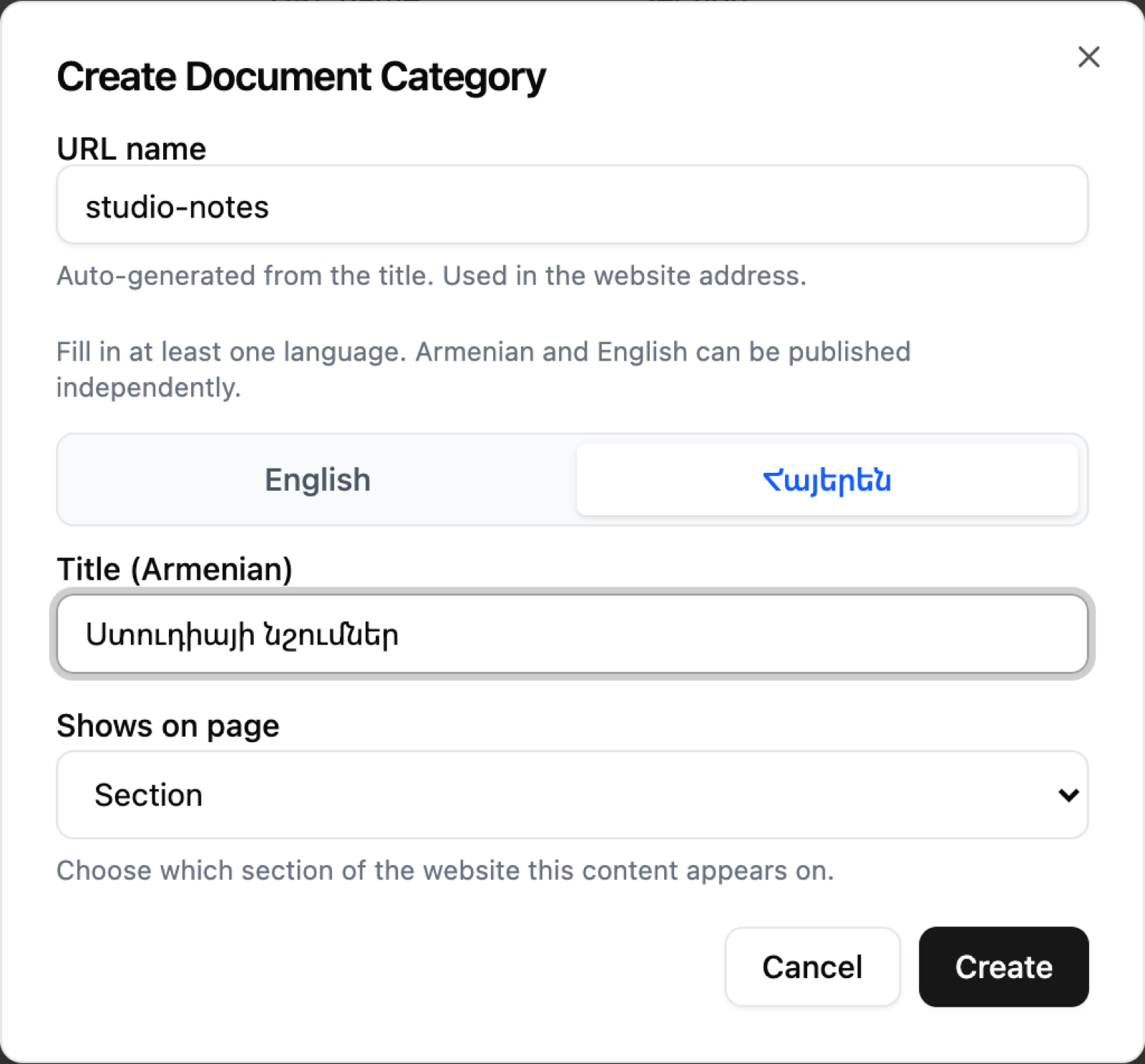
const [activeTab, setActiveTab] = useState<'en' | 'hy'>('en');

<button type="button" onClick={() => setActiveTab('en')}>
  English
</button>
<button type="button" onClick={() => setActiveTab('hy')}>
  Հայերեն
</button>
The boring part matters: required bilingual copy is a product rule, not a database nullability trick. Staff can publish one language before the other on some surfaces, but the UI never hides the empty side.
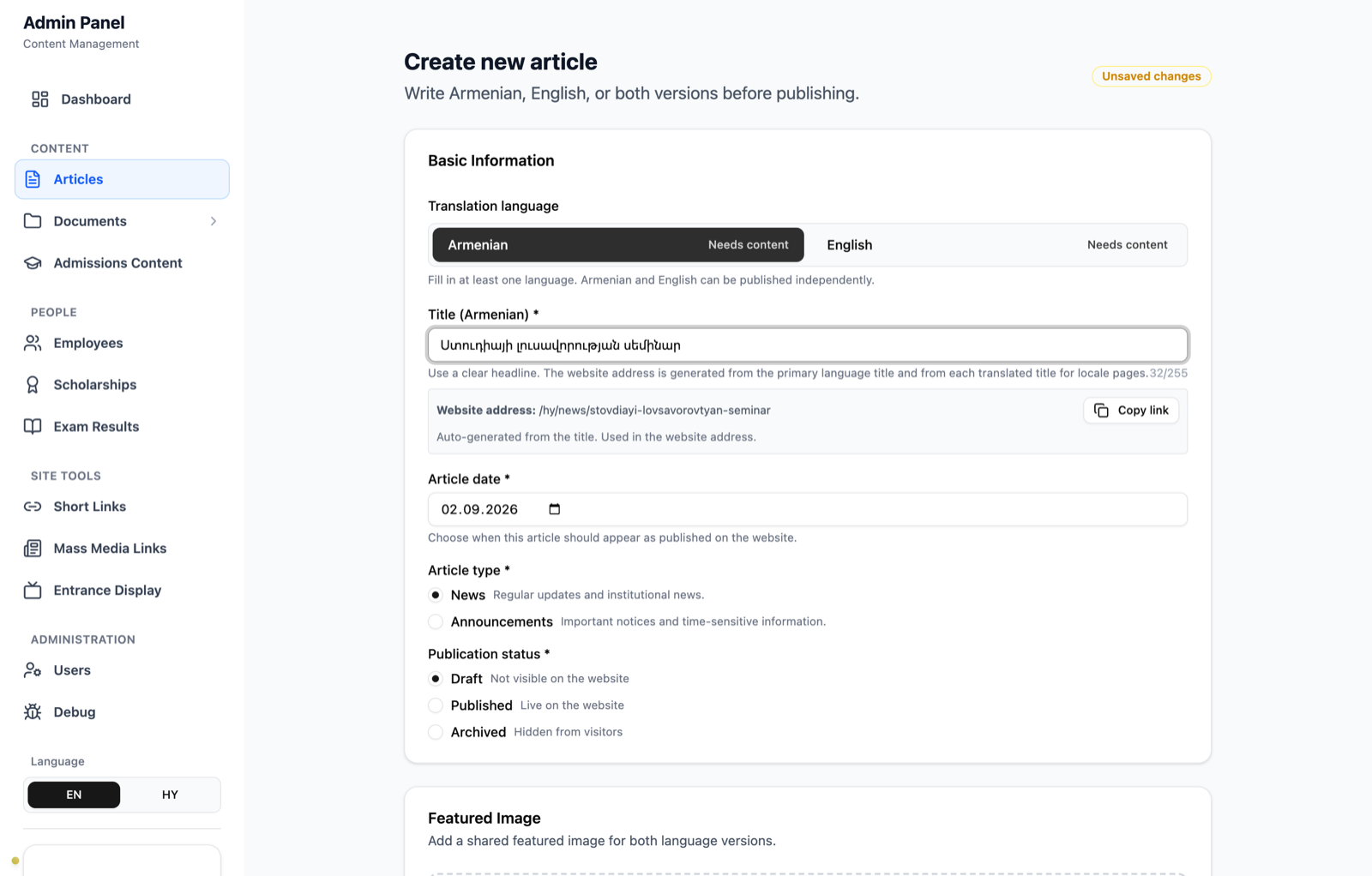
Titles also have to become URLs. Armenian in a path breaks S3 keys and a lot of share previews, so I transliterate into ASCII before slugifying.
function transliterateArmenian(input: string): string {
  let output = '';
  for (const char of input) {
    output += ARMENIAN_TO_LATIN_MAP[char] ?? char;
  }
  return output;
}
This is honest, not cute: ու is two characters (ո + ւ), so “ստուդիա” becomes stovdia, not studio. I found that while screenshotting a dummy article. The slug is still shareable. Perfect English phonetics was never the requirement — ASCII that does not explode in a bucket path was.
Staff think in blocks, not HTML
TipTap is how text gets bold. The model staff actually use is blocks: add a text block, add an image block, move them. News is not one giant HTML string in their head. It is a photo, then a paragraph, then another photo.
const addTextBlock = () => {
  updateBlocks([
    ...value.blocks,
    { id: uuid(), type: 'text', order: value.blocks.length, content: { text: '' } },
  ]);
};

const addImageBlock = () => {
  updateBlocks([
    ...value.blocks,
    {
      id: uuid(),
      type: 'image',
      order: value.blocks.length,
      content: { caption: '', alt_text: '', media_id: '' },
    },
  ]);
};
Each locale stores its own block list. Switching Armenian / English does not share a body and hope. The editor itself is TipTap with a small surface: starter kit, links, images, placeholder, and an HTML toggle for the one person who will paste a table.
useEditor({
  extensions: [
    StarterKit,
    Link.configure({ openOnClick: false }),
    Image,
    Placeholder.configure({ placeholder }),
  ],
  content: value,
  onUpdate: ({ editor }) => onChange(editor.getHTML()),
});
Images do not sit as anonymous blobs. Uploads go through an auth-wrapped API and land in S3 under the article type and slug, so deleting an article can clean the folder instead of leaving orphaned files in a junk bucket.
Roles that match the building
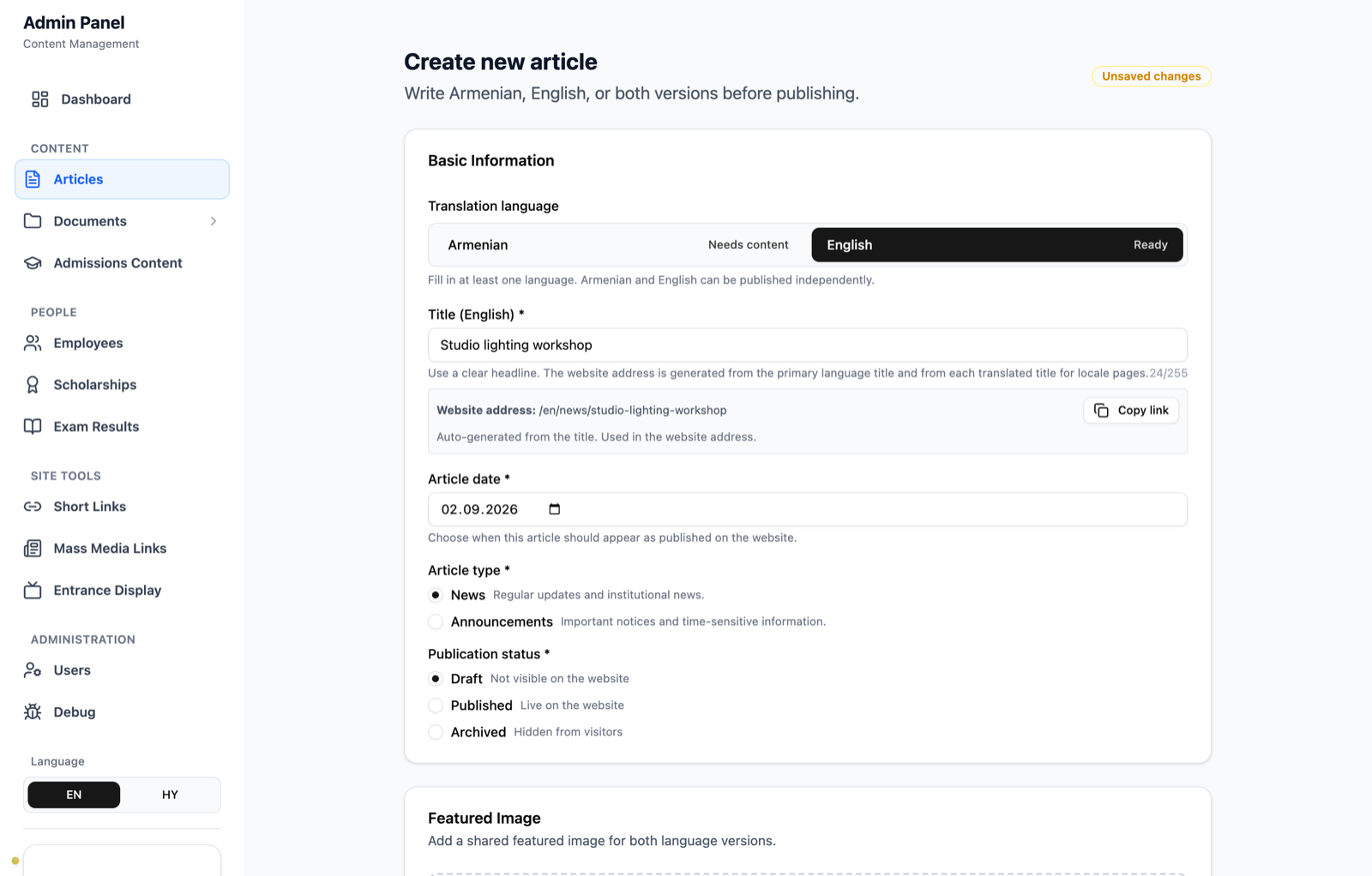
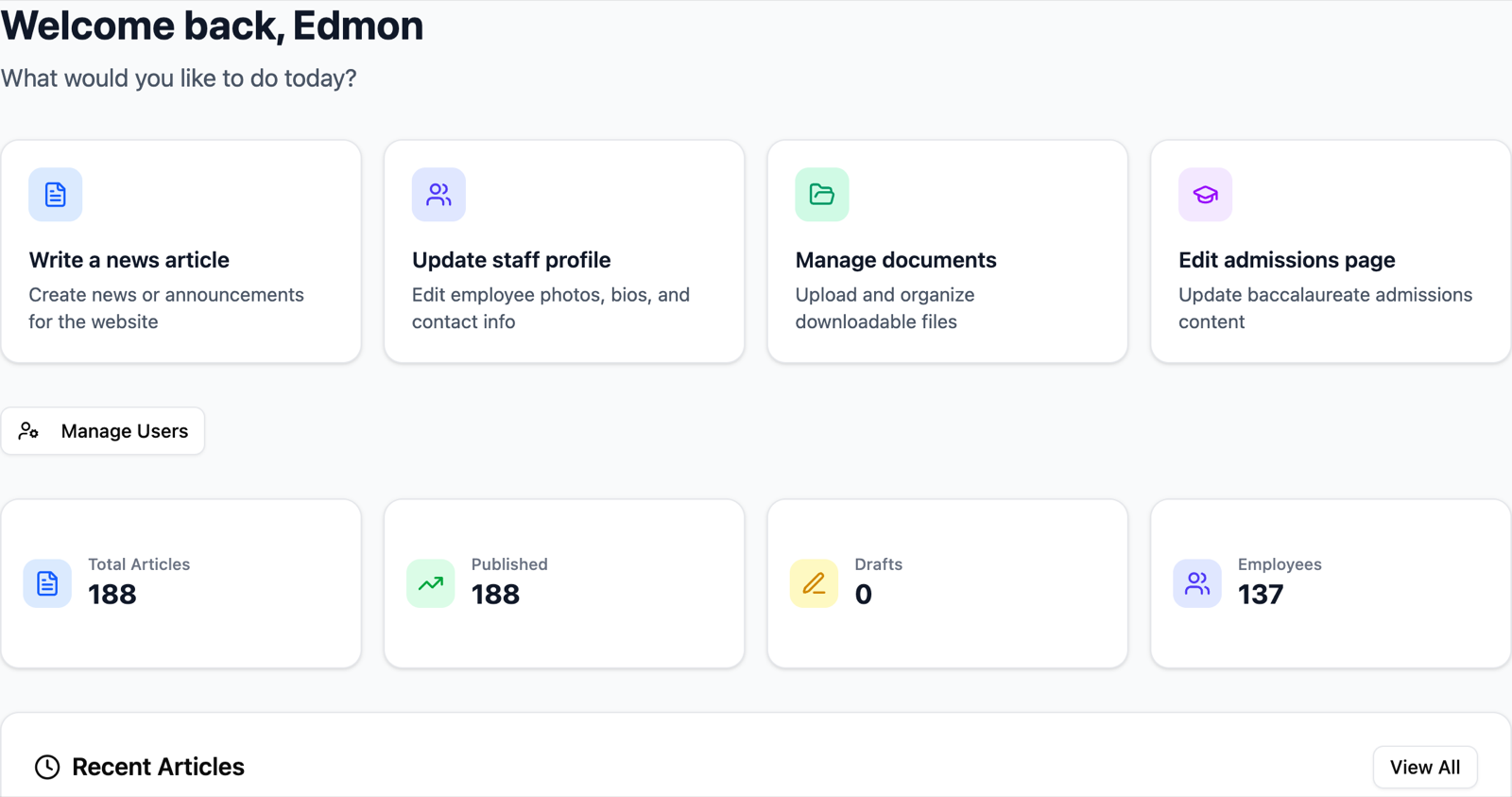
A SaaS CMS gives you “Admin” and “Member.” An institute has a PR person who should ship news, someone in the office who updates staff photos, and a viewer who only needs to check that the page is right. Super-admin is me, and it is not assignable from the users screen.
| Role | Who | What they can do |
|---|---|---|
super_admin |
Platform | Everything, including users |
admin |
Office / IT | Content, staff, media, exam results, lobby display |
editor |
PR / communications | Create and edit articles, upload media |
viewer |
Read-only | Look. No publish. |
export enum Role {
  SUPER_ADMIN = 'super_admin',
  ADMIN = 'admin',
  EDITOR = 'editor',
  VIEWER = 'viewer',
}
Pages go through NextAuth. APIs go through a withAdminAuth wrapper. Middleware maps routes to permissions. One detail I only learned after shipping: JWT permissions are frozen at login. When I added the entrance-hall display CMS, existing sessions did not have the new permission bit. Forcing everyone to log out was not an option during a workday, so that route grants by role instead of the stale permission array.
// JWT permissions are frozen at login; grant by role so existing
// admin sessions can open the new display CMS without re-auth.
if (pathname.startsWith('/admin/display')) {
  return userRole === Role.ADMIN || userRole === Role.SUPER_ADMIN;
}
That is not a textbook RBAC diagram. That is what happens when a product keeps growing after people already have cookies.
Publish is a cache event — until it costs money
The original idea was clean. Public pages should not hit Postgres on every visit. When an editor saves a published article, invalidate the tags the homepage actually uses.
if (status === 'published' || article.status === 'published') {
  revalidateTag('homepage-content');
  revalidateTag(`articles-${articleType}`);
  revalidateTag(`article-${hashSlugForCache(article.slug)}`);
}
I even hashed slugs before using them as cache tags, because tag charset and length limits are real.
Then staff pages entered the picture. Editing one employee wanted to revalidate every faculty page that mentioned them. Hundreds of tags. Vercel Fast Origin Transfer went up about 6×. In February 2026 I archived the broad unstable_cache / ISR layer to stop the bleed. Article saves still call revalidateTag. The “cache everything, invalidate forever” version is not how the site runs today.
That is the honest version. Publish was supposed to be the only expensive moment. Over-invalidation made the expensive moment happen in the wrong place. I will write that war story separately. It is a different craft problem.
What this actually shows
Anyone can drop TipTap into a form. The work was deciding that:
- Armenian is the default URL, not a translation plugin.
- The editor UI must make the empty language visible.
- Content is blocks because that is how the staff already think.
- Roles follow the org chart, and later features have to respect sessions that already exist.
- Caching is a cost center, not a badge.
The public site is live at ystfi.am. Screenshots here use dummy copy in a local admin session. No student records, no exam results, no pairing tokens.
Until next time: the lobby TVs. Cheap Android screens that ignore cursor: none, eat the Back key, and still have to show a 9:16 playlist without a person standing in the hall.